
STUDENT TECH GUIDE
The International Student Laptop Guide
Your laptop is your most important tool as a student. Here's exactly what to buy — and what to avoid — based on your budget, degree, and destination.
Mac or Windows — Which Is Right for You?
MacBook Air / Pro
Best for: Design, creative, coding, longevity and resale value.
Pros
- check_circle 18+ hour battery life
- check_circle Exceptional resale value
- check_circle M-chip performance
- check_circle 6+ years software support
- check_circle Lightweight
Cons
- cancel More expensive upfront
- cancel Less gaming capabilities
- cancel Fewer port options
- cancel Expensive repairs
Windows Laptops
Best for: Engineering software, gaming, tight budgets, Windows-only apps.
Pros
- check_circle Wide price range
- check_circle More native ports (USB-A, HDMI)
- check_circle Better gaming ecosystem
- check_circle More software compatibility
- check_circle Easier third-party repairs
Cons
- cancel Battery varies significantly
- cancel Shorter support on budget models
- cancel Generally heavier/bulkier
"For most international students — MacBook Air wins on battery, portability and 3-year resale value. Windows wins if you need engineering software or are on a tight budget."
DON'T GET CONFUSED
The Only Specs That Actually Matter
RAM
Minimum: 8GB · Recommended: 16GB
Why: Running multiple tabs, Zoom, and documents needs at least 16GB in 2026
Watch out for: High RAM with slow processor — balance matters
Storage (SSD)
Minimum: 256GB · Recommended: 512GB
Why: OS + apps take ~100GB, you need room for files and projects
Watch out for: HDD drives — always get SSD, it's 10x faster
Battery Life
Minimum: 8 hours · Recommended: 12+ hours real-world
Why: Lectures, libraries, cafes — you won't always have a power outlet
Watch out for: Manufacturer claims are 30% higher than real-world usage
Display
Minimum: 1080p Full HD · Recommended: 1440p or Retina
Why: You'll stare at this 8+ hours a day — your eyes will thank you
Watch out for: 4K on a 13" screen — you won't notice the difference
FIND YOUR RANGE
What Can You Get at Each Budget?
Budget — Under $800
Products: Lenovo IdeaPad Flex 5 ($649) · HP Pavilion 15 ($699) · Acer Aspire 5 ($549)
What you get: Solid for notes, documents, browsing, light coding
What you miss: Premium build, long battery, great display
Best for: Arts, business, humanities students
Mid-Range — $800–$1,300
⭐ Sweet Spot
Products: MacBook Air M4 ($1,099) · Dell XPS 13 ($999) · ASUS ZenBook 14 ($899)
What you get: Premium build, long battery, 4–5 years of performance
What you miss: The absolute cutting edge
Best for: Most students — this is the sweet spot
Premium — $1,300+
Products: MacBook Air M5 ($1,299) · MacBook Pro M4 ($1,599) · Dell XPS 15 ($1,499)
What you get: Best-in-class everything — battery, display, performance, longevity
Best for: Design, video editing, heavy coding, students keeping laptops 5+ years
🗓️ Best Times to Buy
- Back to School: August–September (save $100–$200, free AirPods deals)
- Black Friday: Late November (biggest discounts on Windows laptops)
- Boxing Day: December 26 (strong deals in Canada specifically)
- Amazon Prime Day: July (solid mid-range deals)
Pro tip: If you're arriving in September, shop in late July or August before you fly — prices are lowest and stock is best.
SAVE MONEY SMARTLY
Should You Buy New or Refurbished?
Buy New
Full manufacturer warranty (1–3 years)
Latest model, perfect condition
Best for: MacBooks — resale value justifies buying new
Verdict: ✅ Recommended for MacBooks
Certified Refurbished
Usually 1-year warranty from seller
Like new — tested and certified
20–40% cheaper than new
Where to buy: Apple Certified Refurbished (apple.com/shop/refurbished), Best Buy Open-Box, Amazon Renewed
Best for: Windows laptops — save $200–400
Verdict: ✅ Great option for Windows laptops
Our Top Laptop Picks for International Students
Every recommendation based on battery life, build quality, student use case, and value over 3+ years.
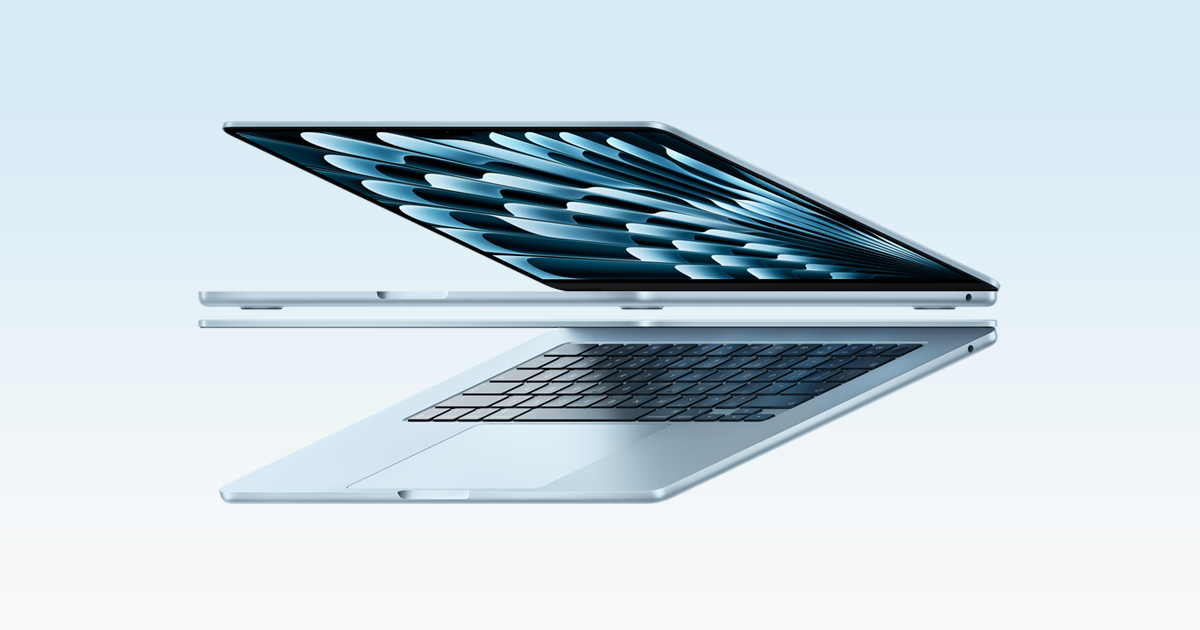
MacBook Air M5
$1,299
Lightweight, ultra-powered, all-day battery. The unanimous student favourite for a reason — buy it once, use it through graduation and beyond.
13.6" Liquid Retina · M5 chip · 16GB RAM · 18hr battery
 View Deal →
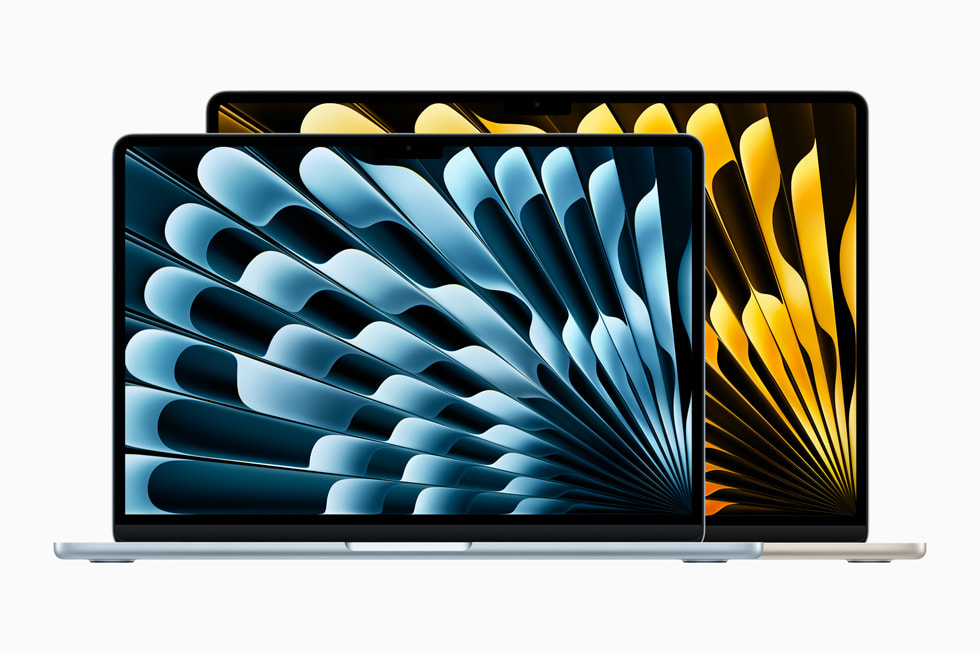
MacBook Air M4
$1,099
MacBook quality without the M5 price tag. Near-identical performance for most students — the smart buy if you're budget-conscious but want Apple quality.
13.6" Liquid Retina · M4 chip · 16GB RAM · 18hr battery
 View Deal →
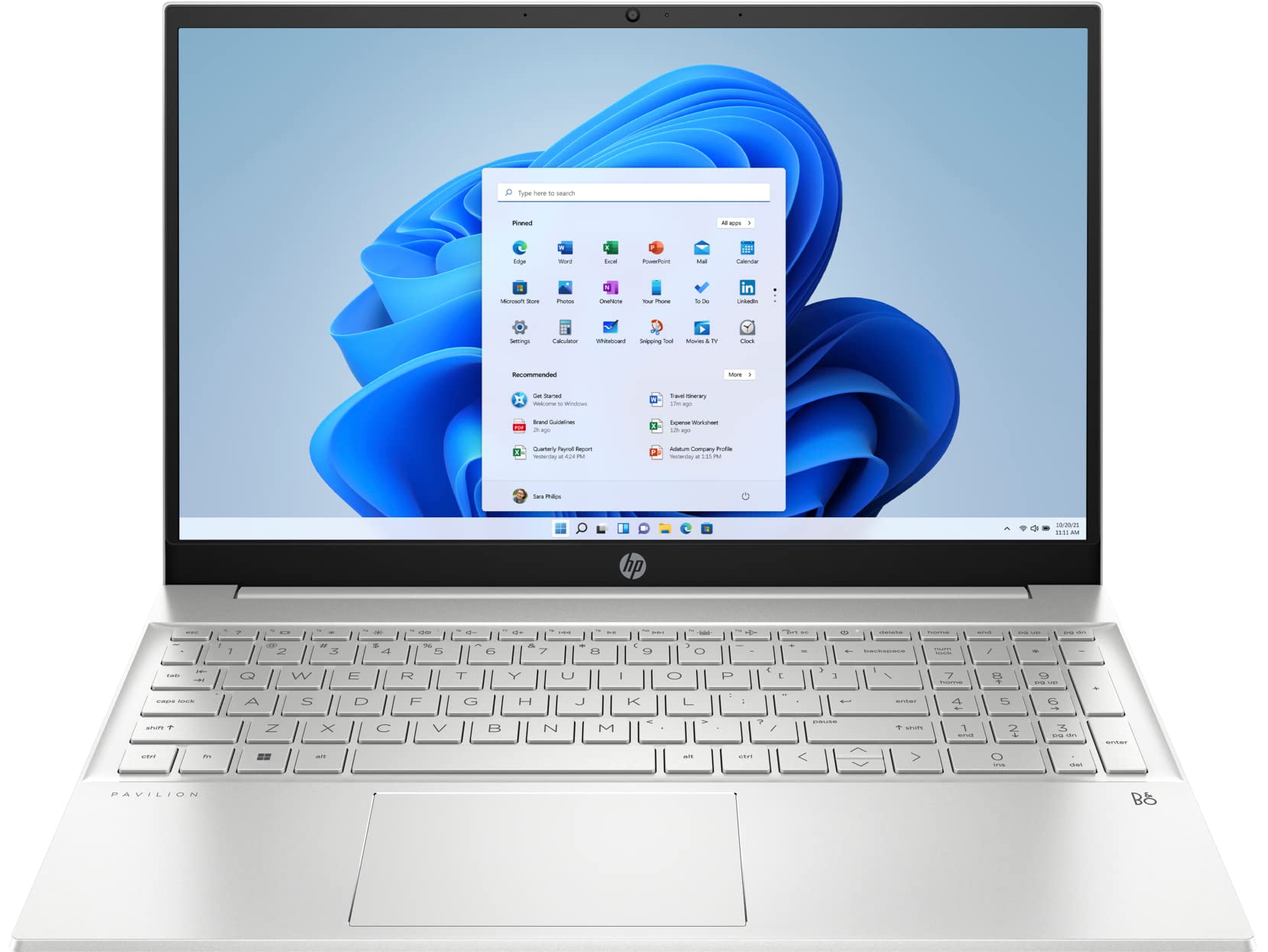
HP Pavilion 15
$999
The dependable Windows workhorse. More ports, better gaming, and solid performance for students who need Windows-specific software.
15.6" FHD · Intel Core i7 · 16GB RAM · 512GB SSD · 10hr battery
 View Deal →
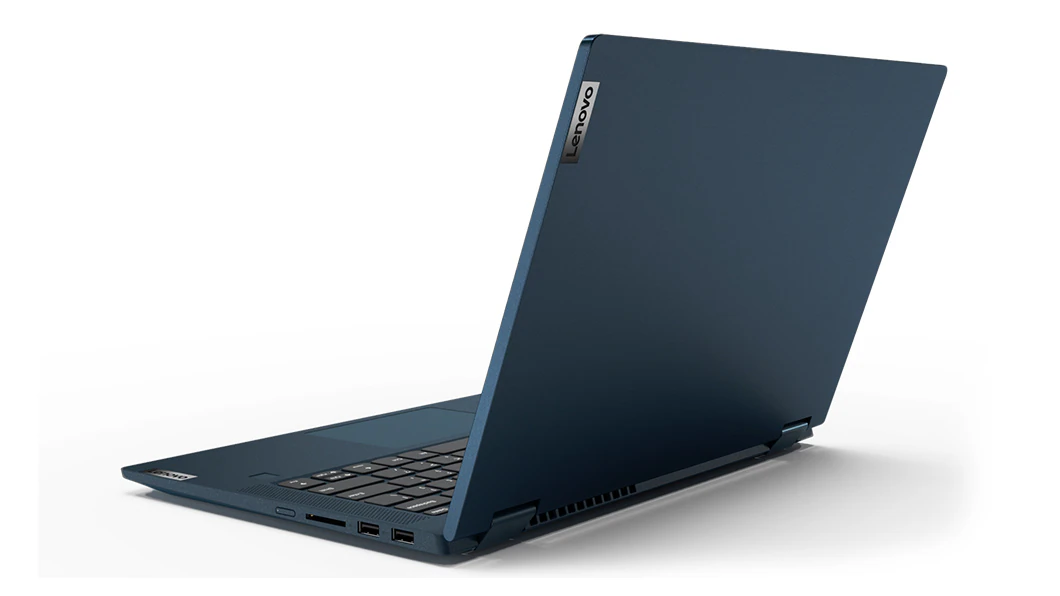
Lenovo IdeaPad Flex 5
$649
Solid Windows performance at the lowest price point. Perfect for humanities, business, and students who need a reliable laptop without financial stress.
14" FHD Touch · AMD Ryzen 5 · 8GB RAM · 256GB SSD · 8hr battery
 View Deal →
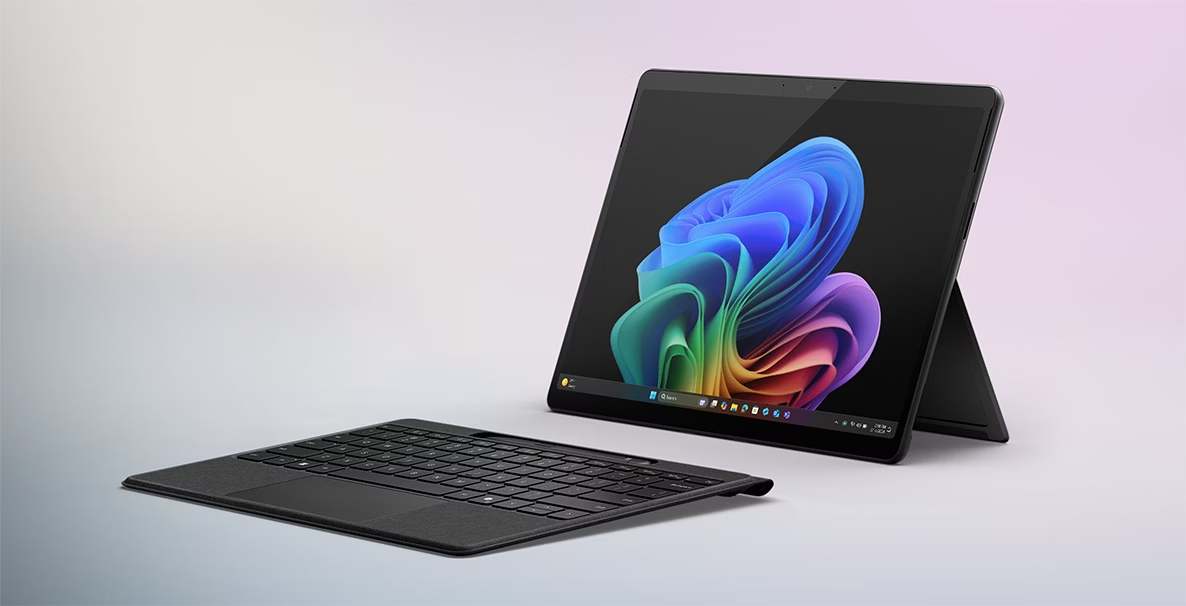
Microsoft Surface Pro 11
$999
Tablet flexibility with laptop productivity. Great for note-taking, presentations, and students who move between classes all day.
13" PixelSense · Snapdragon X Plus · 16GB RAM · 512GB SSD · 12hr battery
⚠️ Note: Keyboard cover (Type Cover) is sold separately — adds ~$159–$179 CAD to the total cost. Budget $1,150–$1,180 all-in, not $999.
 View Deal →
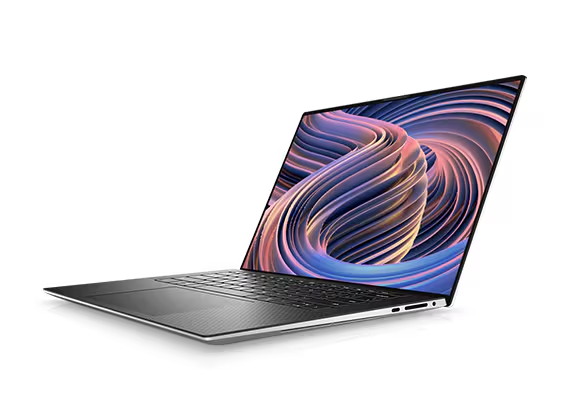
Dell XPS 15
$1,199–$1,499
A flagship Windows laptop with a premium build, excellent display, and strong performance for coding, design, and everyday student workloads.
15" OLED / FHD+ · Intel Core Ultra · 16GB RAM · 512GB SSD · 12hr battery
 View Deal →
* Prices go up and down depending on stock availability, promotions, and region. Always check multiple websites before buying. For the best deals, compare across trusted stores.
GAMING PICK
Gaming Laptop Recommendation
ASUS ROG Zephyrus G16 (2026)
$1,499–$1,899
A balanced gaming and productivity machine for students who need power for gaming, editing, and heavy workflows.
Recommended baseline: RTX 4060/4070 · 16GB RAM (preferably 32GB) · 1TB SSD · 16" 165Hz QHD display.
LAPTOPS BY MAJOR
Laptops as per major
STEM & Engineering
MacBook
Dell XPS
HP Spectre
Lenovo ThinkPad
💻 Computer Science & Software Engineering
MacBook Air M4 / M5
Dell XPS 13 or 15
ASUS ZenBook 14
Lenovo ThinkPad (for Linux users)
Business & Finance
MacBook Air
MacBook NEO
HP Pavillion touch
Marketing & psychology
MacBook Air
iPad Air + Magic keyboard
lenovo book
🛡️ PROTECT YOUR LAPTOP
AppleCare+
Covers accidental damage and repairs. $4–9/month or ~$249 upfront. Worth it for MacBooks — repairs without AppleCare can cost $500+.
Credit Card Insurance
Some credit cards like Amex Cobalt offer extended warranty and purchase protection on electronics. Check your card benefits before paying separately.
A Good Case
Seriously underrated. A $30 sleeve or hardshell case prevents 80% of laptop damage. Don't skip this. Your laptop is going in a bag every single day.
⚠️ Laptop theft happens in libraries and cafes — never leave your laptop unattended, even for 2 minutes.
Buy for Your Degree. Not Your Classmate's Setup.
You'll walk into your first lecture and see MacBook Pros, gaming laptops, and setups that cost $3,000. Here's what nobody says out loud — most of those students are in debt or got it as a gift.
Your job is to study, not to have the best setup in the room. A $700 Windows laptop running at full speed beats a $1,500 laptop you're stressed about paying off every month.
Buy what you need for your degree. Upgrade when you're earning. The laptop doesn't make the student — the student makes the student.
"The best laptop is the one that doesn't stress your finances."
Get personalized laptop recommendations
Stay updated on the best student tech deals.
Need SIM help? Read the SIM & Data Guide →
Need a personal recommendation? Email us at studenzbit@gmail.com or send a DM on Instagram @studenz_bit.